

You can learn almost everything you need to know about a mobile casino in half an hour. Not by reading glossy promo pages, but by running a focused audit that exposes friction, delays, and fine‑print traps before they cost you money or time. Below is a practical, step‑by‑step checklist you can apply to any brand. For illustration, we reference B7 Casino’s mobile layout so you know where to look, and we include a quick walkthrough image and a short video for context.
Why a quick audit beats a big bonus
Bonuses look generous until you try to withdraw. Verification can stall, wagering counters don’t update, or fees appear at the last click. A quick audit reveals whether the site is transparent, fast, and consistent on your phone. You want three things before you deposit: clear rules, responsive support, and low friction from signup to cashout. This checklist helps you confirm those in 30 minutes.
The 30‑minute mobile checklist
1) Hygiene and transparency (5 minutes)
- Security: Confirm the padlock and https in the address bar. Tap it to view the certificate. If the browser throws mixed‑content warnings, stop.
- Licensing and operator: Scroll to the footer. You should find the operator name, licensing authority, and company address. If it’s buried or missing, that’s a red flag.
- Terms and policies: Open T&Cs, Bonus T&Cs, Privacy, AML/KYC, and Responsible Gambling pages. Quick scan for: wagering multipliers, contribution tables, game restrictions, max bet while wagering, and withdrawal rules during active bonuses.
- Jurisdiction and restrictions: Look for country restrictions and payment limitations. If your country is on the restricted list, don’t proceed.
- Game providers and fairness: A reputable mobile lobby lists recognized studios and may link to testing seals (e.g., iTech Labs, GLI). If you can’t find providers or RTP info anywhere, be cautious.
2) Account setup and verification readiness (7 minutes)
- Signup flow: Time how long it takes to create an account. Target: under 3 minutes, no more than 3 screens. Watch for pre‑checked marketing boxes; uncheck if you don’t want emails or SMS.
- Contact verification: If they require email or SMS code, you should receive it within 60 seconds. Test resend. If codes lag, future notifications may lag too.
- KYC portal: Find the verification section before depositing. Check acceptable document types (ID, proof of address), file size limits, and whether selfie/biometric is required. A good portal shows a progress bar and estimated review times.
- Red flags: Demanding extra documents that don’t match the policy page, vague instructions, or insisting on video calls without clear scheduling guidance. These predict delays.
3) Banking drill: deposit clarity and withdrawal posture (8 minutes)
- Method availability: Open ‘Cashier’/‘Deposit’. Note cards, e‑wallets, bank transfer, and any crypto options. Click each to view minimums, fees, and processing times before you confirm.
- Currency and fees: The best flows show amounts in your currency, full fee breakdown, and the exact credited balance. Avoid surprise conversion fees.
- Bonus opt‑in control: Watch for auto‑applied bonuses. There should be a visible toggle or a clear choice. If you take a bonus, the wagering amount and game contribution should be displayed right away.
- Withdrawal readiness: Open ‘Withdraw’ even if you haven’t deposited. You’re checking: minimum withdrawal, pending time, cancellation policy, and whether KYC must be fully approved first. Note any capped cashouts for bonus wins.
- Targets: Transparent fees at the confirmation screen; minimum withdrawal not higher than a typical small stake session; ability to see pending withdrawals and cancel if permitted by policy.
4) Gameplay performance and stability (5 minutes)
- Load time: On 4G/5G, the lobby should load in under 3 seconds for the first meaningful paint. Open 2–3 different providers to see consistency.
- Search and filters: Test game search for typos and provider filters. If search chokes on partial names, finding favorites will be tedious.
- In‑game responsiveness: From tap to spin, latency should feel snappy (<500 ms). Audio shouldn’t stutter. If a game freezes on rotate or after bringing another app to the foreground, that’s poor session handling.
- Demo mode and info: If available in your region, demos help you preview volatility. Check the ‘i’ panel for rules and RTP. A well‑built lobby doesn’t hide basics.
5) Support and responsible gambling controls (5 minutes)
- Live chat response: Ask a practical question: ‘What’s the max bet during wagering?’ or ‘How long does KYC take on weekends?’ You’re measuring time‑to‑first‑reply and clarity, not friendliness alone. Target: <90 seconds to connect.
- Limits and self‑exclusion: Find deposit, loss, wager, and session limits. You should be able to set them without contacting support. Look for cool‑off and self‑exclusion options with clear durations.
- Reality checks: Some casinos offer session pop‑ups every X minutes. Toggle it on if available. It’s a good sign when these tools are more than a token checkbox.
Pass/Review/Fail: turn notes into a decision
| Outcome | What you should see |
|---|---|
| Pass | Clear license in footer; bonus and withdrawal terms explicit; deposit fees shown pre‑confirmation; responsive chat; working KYC portal with ETA; smooth mobile gameplay. |
| Review | Minor friction: slow OTP, vague bonus language, missing RTP in info panels. Proceed only with a small deposit and no bonus, then test a withdrawal. |
| Fail | Hidden fees until final click; unclear operator identity; unresponsive chat; no visible limits or self‑exclusion; unstable games. Do not deposit. |
Applying the checklist to a real mobile lobby
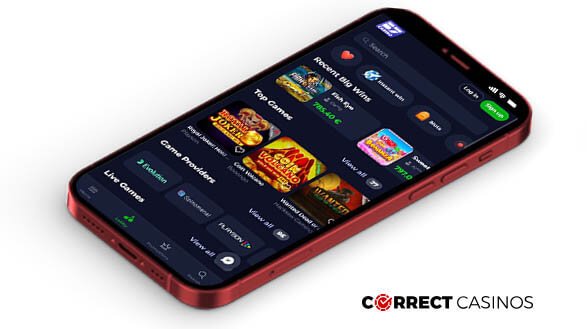
Let’s put this into practice. Open the mobile site in your browser and start timing from the first tap. You should be able to locate the footer in one scroll, the cashier in one tap from the main menu, and a verification area under ‘Profile’ or ‘Account’ without hunting. The following image shows a typical mobile layout, including a collapsible menu and a prominent cashier button.
Now try these micro‑tests, in order:
- Footer scan: Note the operator name and licensing text word‑for‑word in your notes. If terms are broken into sections, open Bonus T&Cs separately and screenshot the wagering clause.
- Signup speed: Create an account using a dedicated email. Time to completion, OTP delay, and whether password rules are clear. Record any pre‑checked bonuses.
- Cashier preview: Check minimums and fees for three methods. If you don’t see fees until after you enter card details, that’s a transparency gap.
- Limits: Set a conservative daily deposit limit and confirm it sticks. If the site lets you raise limits instantly but delays reductions, note the cooling‑off period they impose (a good practice).
- Game test: Open two different providers and play 10 spins each in low stakes or demo if available. Watch for lag when switching between Wi‑Fi and mobile data.
- Support ping: Ask support how to cancel a pending withdrawal, and whether that’s allowed. Your goal is to hear a clear, policy‑driven answer, not guesswork.
If you want to follow along on the actual site while you run this audit, open https://b7-casino.bet/ in your mobile browser.
What good looks like on mobile
- Predictable navigation: Menu labels match what they open. ‘Cashier’ doesn’t hide under ‘Profile’.
- Low‑friction confirmation: The last step before any money leaves your account shows all fees, currency conversions, and bonus implications.
- Consistent provider behavior: NetEnt, Pragmatic Play, and other studios behave similarly with respect to loading and back‑button handling.
- Immediate counters: If you take a bonus, the wagering counter updates instantly after a bet settles. If it lags minutes or requires a page refresh, expect confusion later.
- Realistic timelines: KYC estimates in hours, not vague ‘as soon as possible’. Weekend coverage is mentioned if available.
Common traps that your audit will catch
- Auto‑opt bonuses with hidden max bet: You’ll see these when you preview the deposit flow. If max bet exists, it should be stated clearly before you deposit.
- Withdrawal throttles: Some brands cap daily withdrawals or exclude certain methods for cashouts. Finding this in the T&Cs upfront prevents surprises.
- Provider exclusions during wagering: Verify that high‑volatility or table games aren’t excluded if that’s your plan. Contribution tables should be explicit.
- Support knowledge gaps: Scripts are fine; inconsistency isn’t. If two agents give different answers to the same rule, press pause.
Note‑taking template (copy to your phone)
- License and operator: [paste footer line]
- Bonus clause (wagering, max bet, restricted games): [paste]
- Deposit methods, mins, fees (screenshot confirmation screen): [attach]
- Withdrawal min/pending/cancel policy: [paste]
- Signup time / OTP delay: [record]
- KYC portal ETA and required docs: [record]
- Live chat response time and clarity: [record]
- Game load/latency notes: [record]
- Limits and tools set: [record]
Short video walkthrough
If you prefer a quick visual refresher before you start, watch the short walkthrough below. Use it as a memory jogger for what to check first on mobile.
Final takeaway
A 30‑minute mobile audit is the best insurance you have in online gaming. It forces clarity, surfaces delays, and confirms that the site respects your time and money before either leaves your pocket. Run the checklist, take notes, and only then decide whether to deposit—and whether to accept a bonus. No offer beats a smooth exit when you want your winnings back.